Earlier this year I was thinking about how we could preserve our visual legacies in ways more likely to spark the interest of those who follow us. One of the ideas I wrote about was digital scrapbooking. It was back in August and September that I was tidying up and reorganising my digital photo archives, and making a start on digitising old family photos. I can report that progress has been good but there’s still a long way to go.
Alongside digitising the old photos I realised I could use my existing photo editing software for digital scrapbooking, and I’ve had lots of fun making digital scrapbook pages using some of the old photos. My brother’s birthday card this year was made this way and I’m so happy with how it turned out.
Today I’m combining this new-found digital scrapbooking interest with one of my personal Christmas traditions, which is that every year I’m compelled to try to photograph our four-legged family members wearing Christmas hats. I have to say that I enjoy this far more than the said four-legged family members, but George here does love posing for a photo and is prepared, up to a point, to accept the ignominy of wearing a hat if it means he can be the centre of attention.
Zoë Ball was asking about family Christmas traditions recently on BBC Radio 2. One listener shared that her mother buys a new toilet brush every year at Christmas time and on Christmas Day, before she puts it to use in the bathroom, the family holds a competition to see who can toss the new toilet brush into its holder… Makes my tradition of photographing the animals seem very tame! What about you? Do you have any special traditions that will be passed on? Are there any older family members with stories to tell about how they used to celebrate Christmas?
Whatever you’ll be doing over the remainder of 2021, whether you celebrate or not, and whether by the time Christmas arrives the latest COVID variant will yet again make family gatherings inadvisable, I wish you comfort, joy, peace and good health, now and in the year to come.
I’ll be back with my next post on 15th January 2022.
*****
Digital scrapbooking supplies used are from Life Chronicled: Christmas by Connie Prince; and Joyful by Ginny Whitcomb. Both sets were purchased from ScrapGirls. I have no connection to this store but terms of use require that I acknowledge the designers when posting online.
Today I have pretty things for you! For ages I wanted to create a colourful fan tree. I had no idea how to go about doing that but suspected it would involve a lot of work, so I was particularly impressed when, a while back, Jonny Pearl introduced the facility to do this very quickly and easily on his DNA Painter site.
I wrote about DNA Painter earlier this year as part of my mini-series on using chromosome browsers as part of DNA research for genealogy. As explained in that previous post, DNA Painter is brilliant for mapping out your DNA segments, but in theory even if you don’t intend at this stage to use the main DNA functions, you could still get your own colourful fan just by uploading your tree to the site. You do this by downloading the GEDCOM file from your online tree or your own software or simply by inputting the information manually.
Once loaded, your tree will appear as a pedigree with each of the lines colour coded. The DNA Painter default palette uses pretty much the same colours I use on Ancestry to assign known DNA matches to each of my great grandparents’ lines, but here on DNA Painter the default paternal grandmother and maternal grandfather colours were the wrong way round for me. It was very easy to flip the colours. Editing and building the tree is very straightforward too. You can hover over any ancestor to edit their information, add their parents or delete them, and you can mark them as a genetic ancestor – someone who is a common ancestor confirmed not only by paper trail but also by DNA. Fly your cursor over any ancestor and then select View/Edit → Edit or Add Notes to change any information about them, including the colours used for them and their ancestors.
From this point you can go to the three options at the top left hand corner of the screen: TREE / FAN / TEXT. Tree is the default – the pedigree. Text is a handy pedigree list of all your ancestors, with dates and places of birth and death. However for me the fan is the most exciting part. It only goes to 10 generations and I have some lines further back than that, so they are not included. Already, though, you can see at a glance how well you’re doing and where you have gaps.
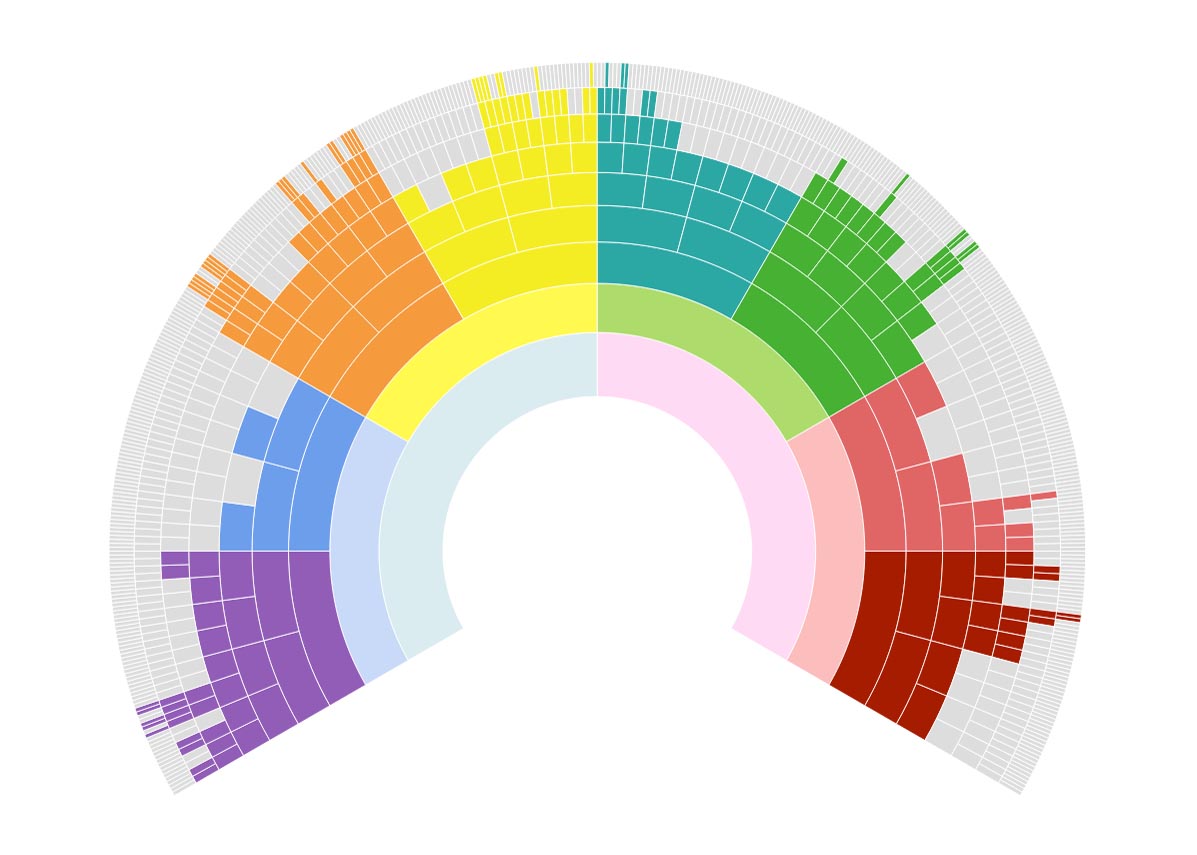
I’m sure the arrangement in the fan above is obvious, but in case it isn’t: from left to right, the colour blocks are pale blue for my paternal side and pink for maternal. Then I have blue for my paternal grandfather (with violet and blue for his ancestors); yellow for paternal grandmother (with orange and yellow for previous ancestors); green for maternal grandfather (with turquoise and green for his ancestors); and finally salmon pink for maternal grandmother, with deeper pink and browny pink for her ancestral lines.
For all versions of the fan tree shown in the images in this post, you can hover over any individual person’s ‘box’ to see their name, vital dates and their relationship to you. At the same time on the left of your screen you’ll see the lineage from that person to you. I couldn’t show this in these images because the screen shot process disables the hovering cursor.
You can also click on ‘Tree Completeness’ over at top right of the screen to get numbers and statistics of ancestors identified at each generational level. All the images in this post click for a bigger version, but you’ll definitely need to do that to see the info on this next image.
DNA Painter Ancestral Trees toolbar
Moving along the toolbar options to ‘Dimensions’, these next two fan charts draw upon all the information you provided when you uploaded or built your tree. First, you can see all your ancestors colour-coded by the age at which they died.
DNA Painter fan tree showing ancestors’ ages at death
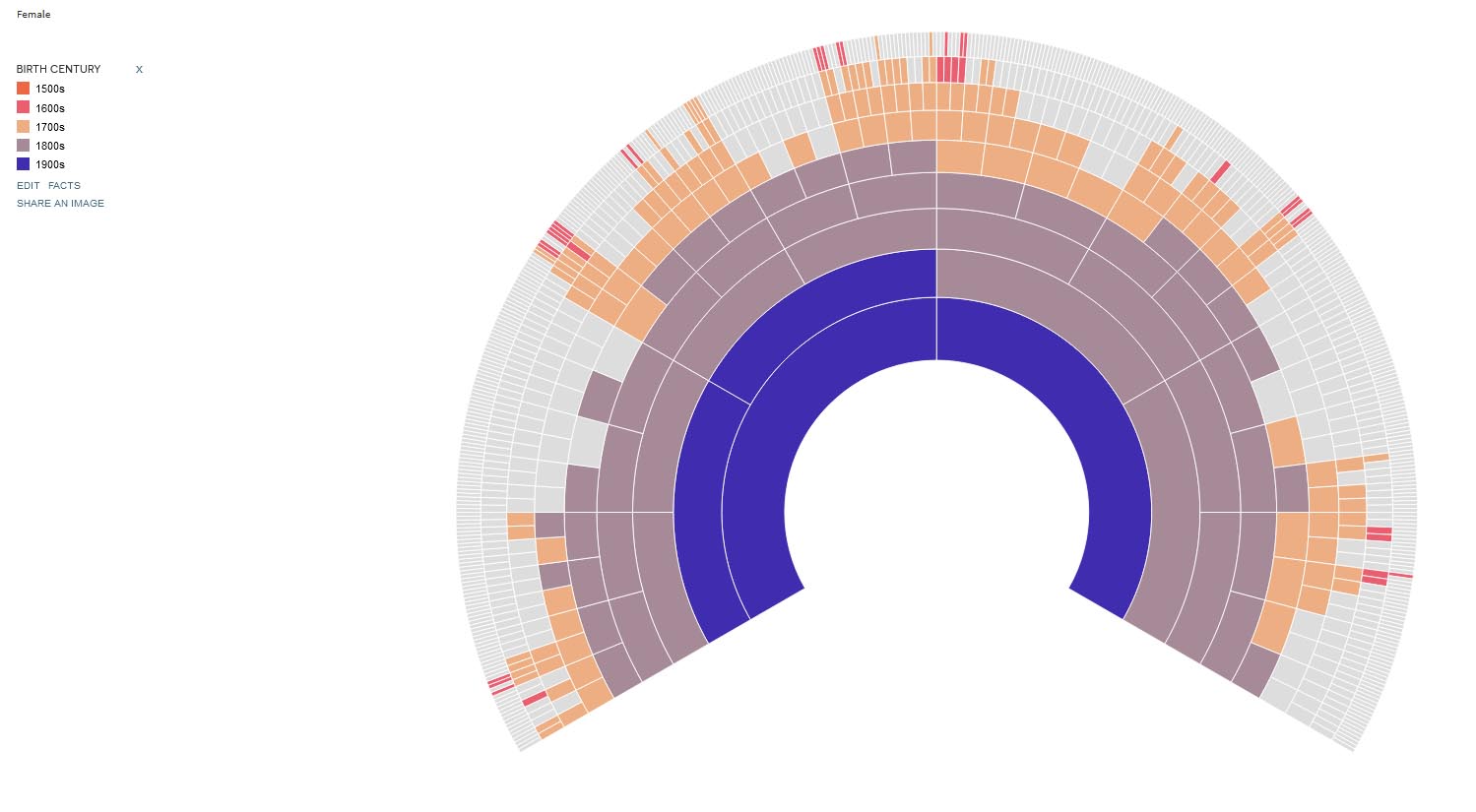
Next, ancestors colour-coded by the century in which they were born.
DNA Painter fan tree showing century of ancestors’ births
So far all the charts shown relate simply to the detail of your family tree. However, if you also work with DNA, you can make use of all the following fan charts:
On the upper toolbar, select DNA Filters. The first option is Show Genetic Ancestors. Provided you have already marked which of your ancestors are proven as genetically linked (see above) you will now see how you’re doing in terms of corroborating your documented tree through DNA matching. This is mine.
DNA Painter fan tree showing ancestors with genetic link proven by DNA
My first ever DNA post was about deep ancestral DNA testing: mitochondrial DNA and Y-chromosome DNA. To recap very quickly, everyone inherits mitochondrial DNA from their mother – but only daughters pass it on. This means everyone can be sure that they share the same mitochondrial haplogroup as their mother, their mother’s mother, and so on right back through time. That is illustrated by the following chart. (In fact I have only been able to trace this line back to 3xG grandmother, but even though I don’t know her name, I do know that my 4xG grandmother has the same mitochondrial as me.)
DNA Painter fan tree showing mitochondrial DNA inheritance
Y-chromosome DNA works exactly the same way, but only males inherit it, and obviously therefore only fathers pass it on. So the Y-DNA inheritance path is an exact mirror image of the mitochondrial, following father’s father’s father’s father’s line right the way back. (The chart below showing this is for a man whose DNA I manage. Obviously I can’t get this information from my own DNA.)
DNA Painter fan tree showing Y-chromosome DNA inheritance
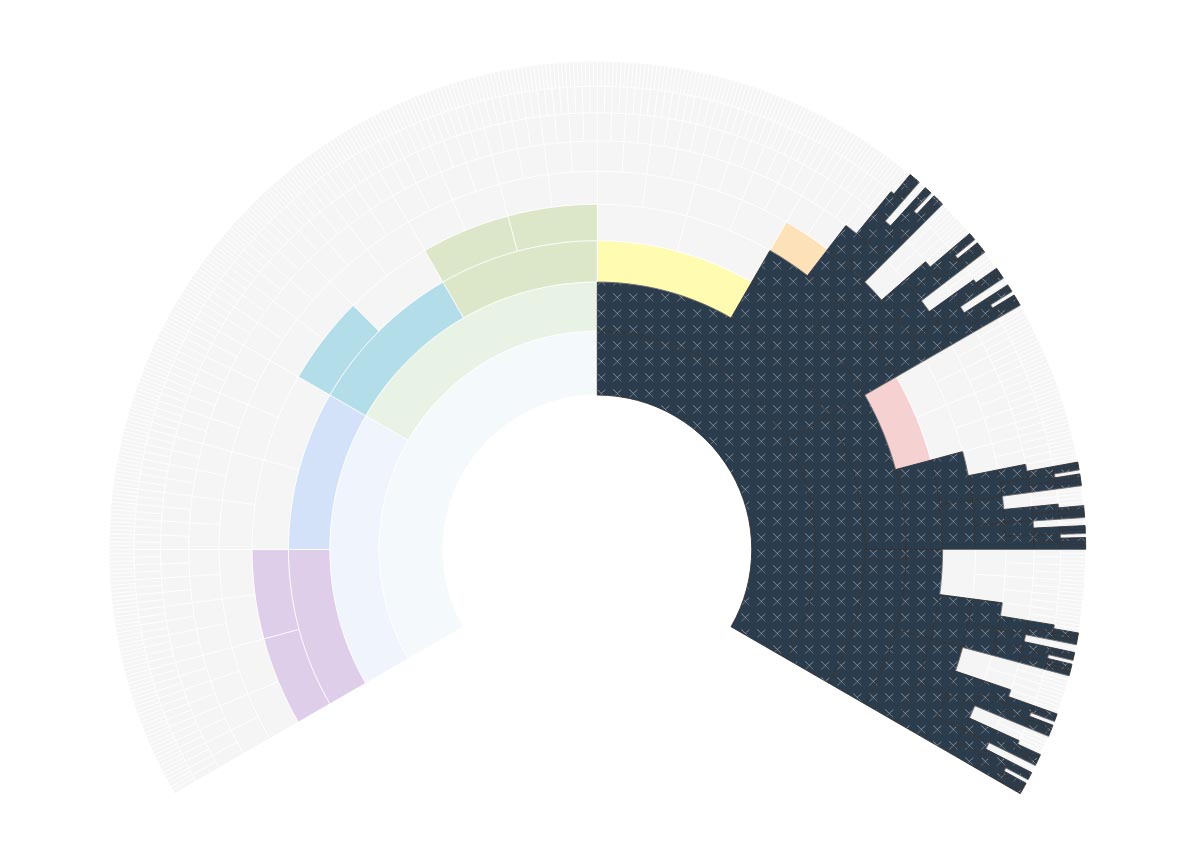
The second option in DNA Filters is Show X-DNA Path. At some point I’ll do a blogpost about X DNA. I haven’t done it so far because I don’t have many X matches to use as illustrations. If you already understand X-DNA inheritance patterns the meaning of the following two screenshots will already be clear, and when I do eventually write about this I’ll include them, since they illustrate perfectly the different inheritance patterns for females (the one immediately below)…
DNA Painter fan tree showing X-DNA inheritance for females
… and males:
DNA Painter fan tree showing X-DNA inheritance for males
Because of the dark colour used, it isn’t clear from these last two screen grabs that if you hover your cursor over the dark patch the intensity of colour reduces and you can see the individual ancestors’ names.
I don’t know about you, but I think all of this is pretty cool!






 English Ancestors